SLA tracking software that knows when you close
Promise a response time, and let the inbox hold you to it - on a clock that stops when your day does.
Shipping soonSLA tracking software holds a support team to the response times the team promised: a deadline on every conversation, a visible countdown, and a warning before anything is missed. inrelay puts a next-action deadline on each conversation and reads urgency straight from the clock - with targets set per channel and timers that pause outside business hours.
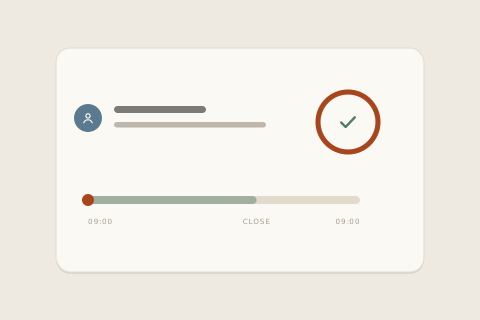
What it prevents is the silent broken promise: the Friday-evening email that sat politely in a first-in-first-out queue all weekend, discovered on Monday by an angry follow-up instead of a timer.
How it works in inrelay
Every conversation in inrelay carries a next-action deadline, and the inbox derives urgency from it - the same way on desktop and mobile.
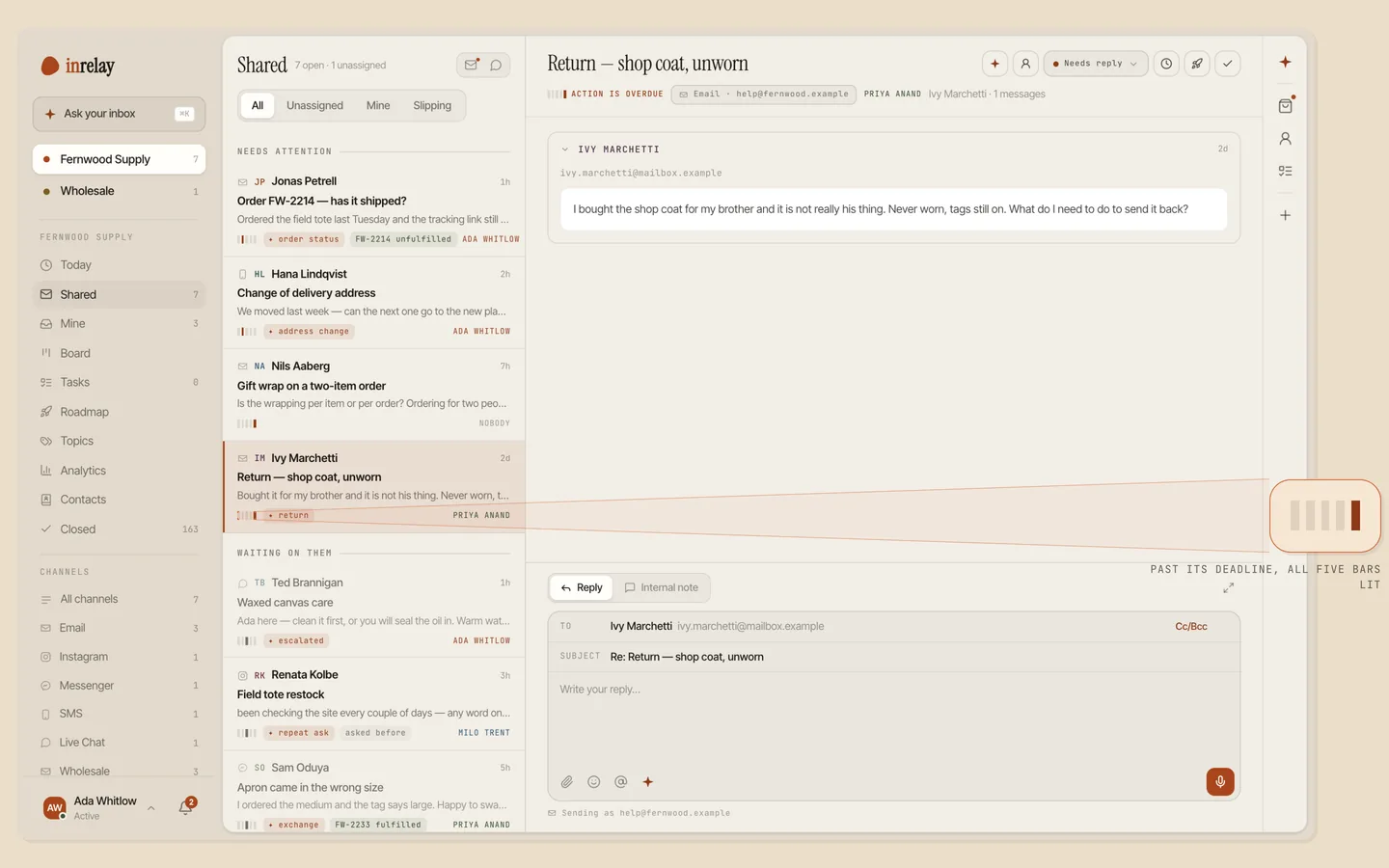
- A deadline on every conversation. Each thread records when its next action is due, alongside who it’s waiting on and whether it needs a reply.
- Urgency nobody can argue with. It’s a read-only result of the clock, not another status someone sets - a thread can’t be talked out of being late.
- Slipping before late. The five-bar indicator fills as the deadline nears, so the warning arrives while the promise can still be kept.
- Targets in your words, per channel. First reply on live chat in minutes, email in hours - and every new conversation gets its deadline set for it, automatically.
- Named SLA policies are coming; the deadline engine is live today.
What an SLA actually is
Service level agreement. A service level agreement (SLA) is a stated promise about how quickly a support team responds - for example, first reply within four business hours. SLA tracking software makes the service level agreement operational: it attaches the promised deadline to each conversation and surfaces the conversations at risk of breaking the promise.
The promise is yours; the software’s job is keeping it visible. For the full term - where SLAs come from and how breach rates are measured - see the SLA glossary entry.
Timers that respect your working day
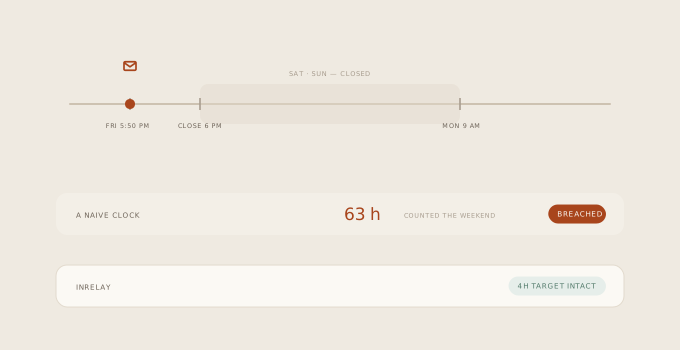
A four-hour target with a naive clock is a trap: the message that lands at 5:50pm on Friday is a sixty-hour “breach” by Monday morning, and once every weekend produces false alarms, the team learns to ignore the red. inrelay counts SLA time inside your business hours only - the timer stops at close, resumes at open, and the Friday-evening email is simply first in line on Monday with its four hours intact.
Those are the same working hours your help widget already uses to tell customers when you’re away - one schedule, told to customers and counted against you, honestly in both directions.
Why it matters
Without SLA tracking software, response-time promises live in people’s heads, and first-in-first-out quietly makes the decisions: a two-word “thanks!” and a customer about to cancel wait in the same line. A tracked deadline reorders the day around the promises closest to breaking - which is also what makes a small team safe to promise anything at all. Committing to “we reply within four business hours” on your help page is only credible when something is counting.
And because the deadline drives triage and routing, at-risk conversations don’t just glow - they move up the queue of the person who owns them.
Setting it up
Set your business hours
Days and hours per workspace, in your timezone. The widget uses them to set customer expectations; SLA timers use them to count.
Name your targets
First-reply time per channel - minutes for live chat, hours for email. Start looser than you think; tighten when you’re beating them.
Let deadlines set themselves
Every new conversation gets its deadline from your policy. Nothing to remember per thread.
Work the bars
Slipping threads surface before they turn late. The help docs cover every setting.
Works with the rest of the inbox.
SLAs lean on the wider inrelay feature family - these three most of all.
Routing and triage
Deadlines decide what’s urgent; routing decides whose queue it climbs.
See triage → ANALYTICSSupport analytics
Response and resolution times, reported from the same record the timers run on.
See analytics → MOBILEThe companion app
A thread starts slipping while you’re out; the same urgency bars show on your phone.
See mobile →Make promises you can keep.
Free to start with your own inbox - every feature, no card, never per seat.