Live chat software with a human on the send button
A widget on your site, a handoff that carries the whole story, and every chat landing in the same shared inbox as your email.
inrelay is live chat software built around the human handoff: a chat widget for your site, lead capture before the conversation, and full history carried to whichever teammate picks the chat up. Chats live in the same shared inbox as email, on every plan - including the free one - and are never metered.
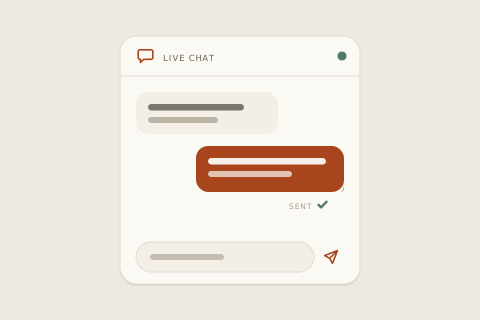
Most live chat software treats chat as its own island - a separate app, a separate queue, a separate person watching it. inrelay treats it as a channel: chats arrive next to your email, get an owner the same way, carry internal notes the same way, and never make a visitor repeat themselves when a different human takes over.
And because chat is where AI overreach worries people most, the rule is the same here as everywhere in inrelay: drafts and quick answers help your team go faster, but a public reply comes from a person who chose to send it.
What you can do from the inbox
All of this ships today, on desktop and in the mobile companion.
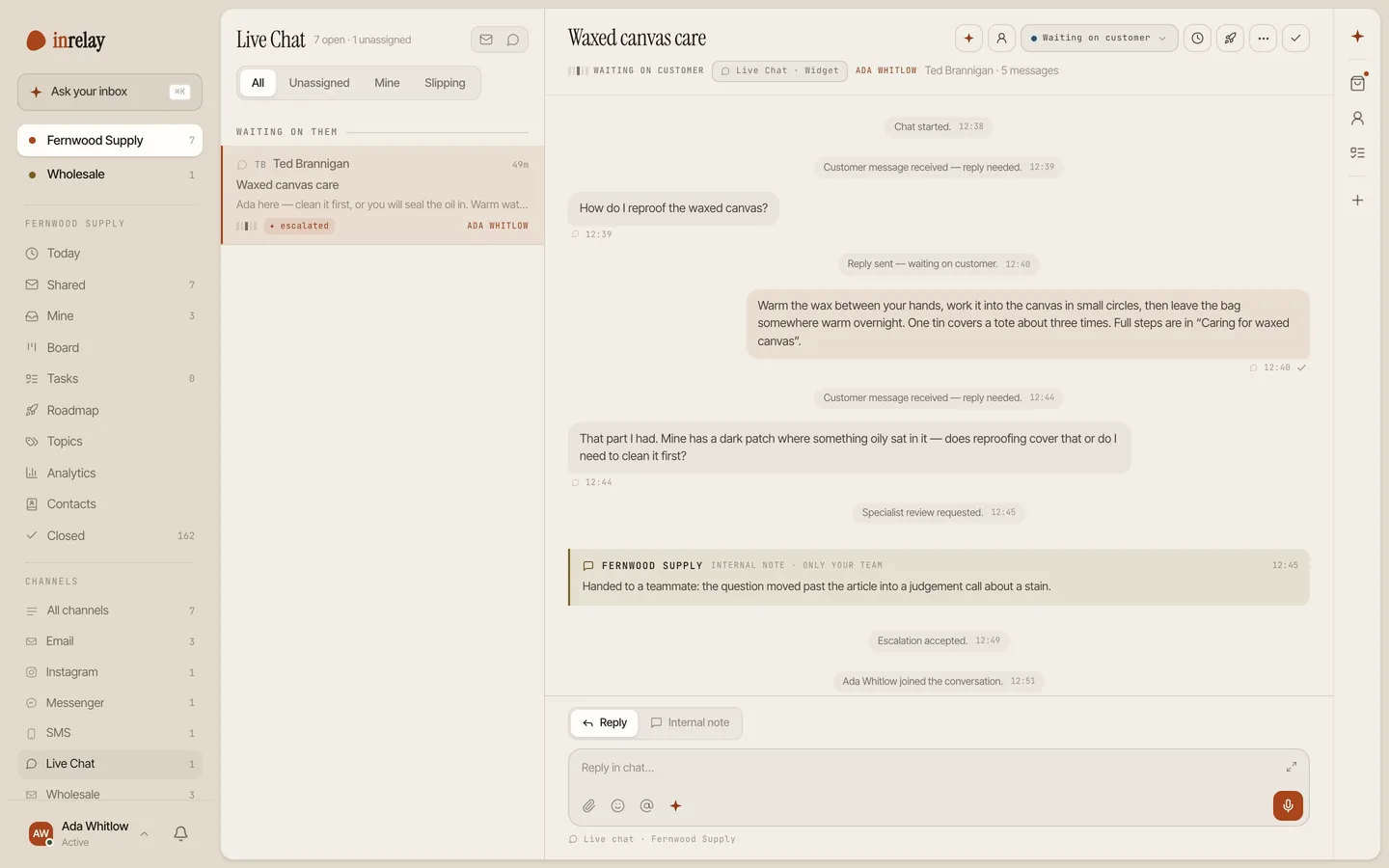
- Answer chats beside email, in one queue. No second screen to watch. A chat is a conversation with a status and an owner, exactly like everything else in the inbox.
- Claim without colliding. The first reply to an unowned chat claims it for that teammate, so two people never answer the same visitor. Assign, transfer or escalate an owned chat any time.
- Hand off with the whole story. Whoever takes over sees the full history - every message, note and handoff - while the visitor just sees that a specialist joined. Nobody types “can you repeat that?”
- Capture the lead before the chat. A compact, configurable name-and-email form - each field optional or required, your call - so a closed tab isn’t a lost customer.
- Talk privately mid-chat. Internal notes and @mentions sit inside the conversation and are structurally invisible to the visitor - a mention is always a note, never a public message.
- Answer the common stuff instantly. Quick-answer chips post your configured responses into the chat, and visitors can search your knowledge base from the same widget.
- Start conversations, carefully. Proactive messages target by page, time on page, business hours and device - and replies land in the human inbox, not a bot script.
- End well. Visitors can download their transcript or get it by email, and an inline CSAT survey asks how it went - from your phone too, if that’s where you are.
Setup & permissions
Live chat needs one thing from your site and a few honest decisions from you. Here’s the whole list.
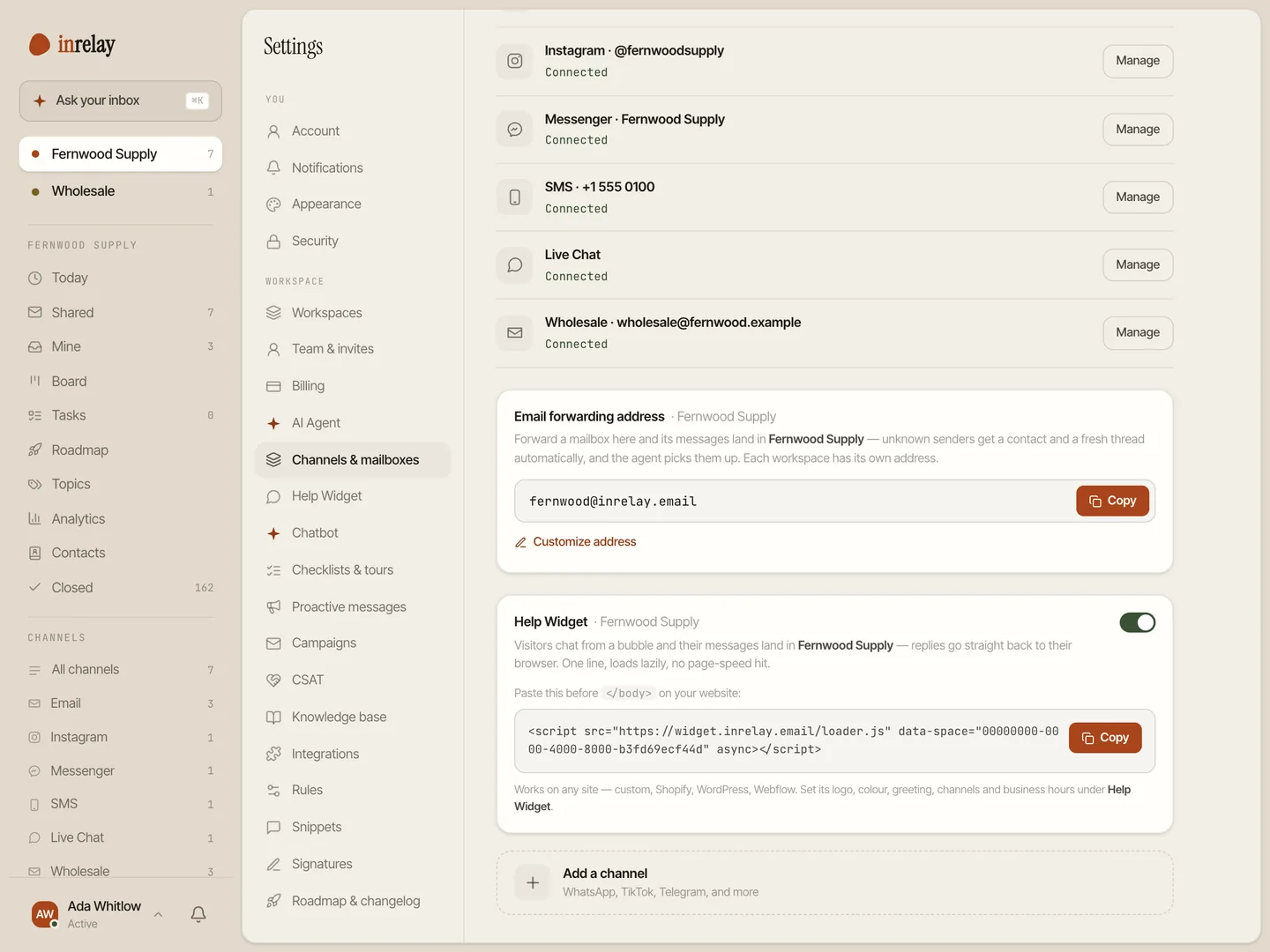
Install the widget
Add a small script snippet to your site - the one technical step, and it’s copy-paste. If someone else runs your site, this is the only favour you need from them.
Make it yours
Brand and logo, help browsing, quick-answer chips, lead-capture fields and which live-chat actions visitors see are all workspace settings - configured once, on desktop.
Decide your hours
Chat implies presence, so set business hours and an honest away message. Outside hours, visitors can still search help articles or leave a ticket - a promise you can keep beats a green dot you can’t.
Go live
Chats start flowing into the shared inbox alongside email. The first teammate to reply owns the conversation from there.
Limits, stated plainly
Live chat has fewer catches here than the category has trained you to expect, but the ones that exist are worth stating before you buy anything.
Chats are never metered. Plans are flat - no chat caps, no per-conversation fees, no add-on packs for a spiky month. The AI agent runs on a monthly pool of AI credits you can always see: when it runs out the AI pauses, the bot hands every chat to your team, and there is no overage fee.
Live chat is on every plan, including Free. The widget, lead capture and knowledge-base search all ship with the free tier - scoped honestly, with 300 AI credits a month and inrelay branding. We’d rather say that here than behind a signup wall.
Chat is a real-time promise. Typing indicators and presence are live-only and never stored, and a chat widget only helps if someone actually answers. If your team can’t staff it yet, start with email and add chat when you can - the inbox is the same either way.
With your other channels.
Live chat is one lane of the same inbox. Email ships today; social and SMS are in development, and we won’t claim otherwise.
Every channel
The full list of what inrelay connects today, in one omnichannel inbox.
See all channels → EMAILGmail, Outlook or IMAP as one shared support@ - the channel most of your volume still arrives on.
Email channel →Instagram DM
DMs as owned conversations, same assignment and approval flow.
In developmentTikTok Shop
Shop messages next to email, with order context where it belongs.
In developmentSMS
Text conversations in the same shared inbox, with the same owners.
In developmentThe channel half your customers already prefer, when it’s ready.
In developmentCatch them on the page.
Free to start with your own inbox - every feature, no card, never per seat.