Appointment booking software inside your inbox
Your own booking page, booking in the chat widget, and a Bookings page for your team, all next to the conversations your customers already started.
Appointment booking software lets customers pick a time with you without the back-and-forth. inrelay gives every workspace a booking page in your own brand, puts the same booking steps inside your chat widget, and files each booking on the customer it belongs to, so their meetings and their conversations sit in one place.
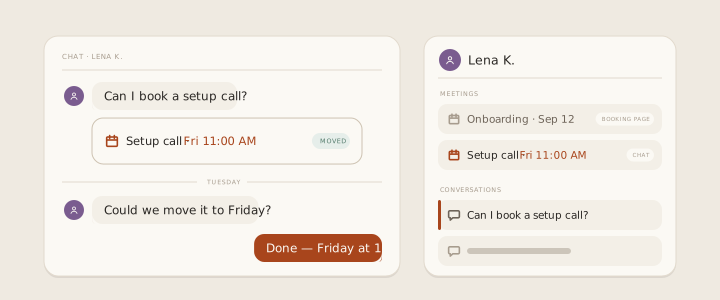
Most small teams run bookings in one tool and support in another. A customer asks a question in chat, gets sent a link to somewhere else, and the booking that comes back knows nothing about the question. When they write in later to move it, whoever answers has to go and look it up.
A booking page in your own brand
Every workspace gets a booking site at its own address, or on your own verified domain. It carries your logo, your accent colour, your About text and your booking policy, in light or dark.
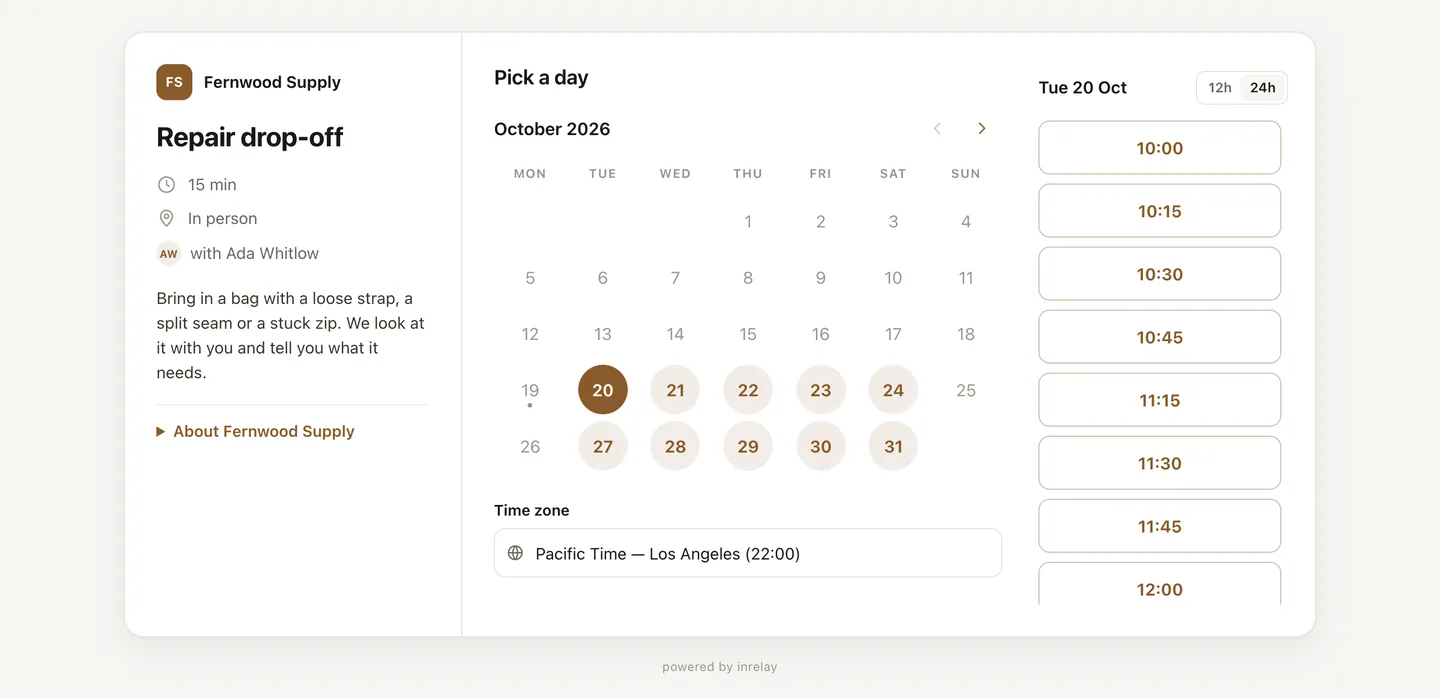
- Booking types for each thing you offer: a consultation, a fitting, a repair drop-off. Each has its own length and description.
- A month calendar with the day’s free times beside it, shown in the customer’s own time zone.
- By default, customers confirm with a one-time code sent to their email before the booking goes through. You can use a captcha instead.
- “Add to your calendar” on the booked screen, and a private “Change or cancel” link, so customers move their own booking without writing in.
- No calendar sync yet: free times come from the hours you set in inrelay, not from a Google or Outlook calendar.
Booked without leaving the chat
The same steps run inside your chat widget and the hosted chat page: pick a day, pick a time, confirm. No pop-up and no second tab, and the booking lands on that conversation.
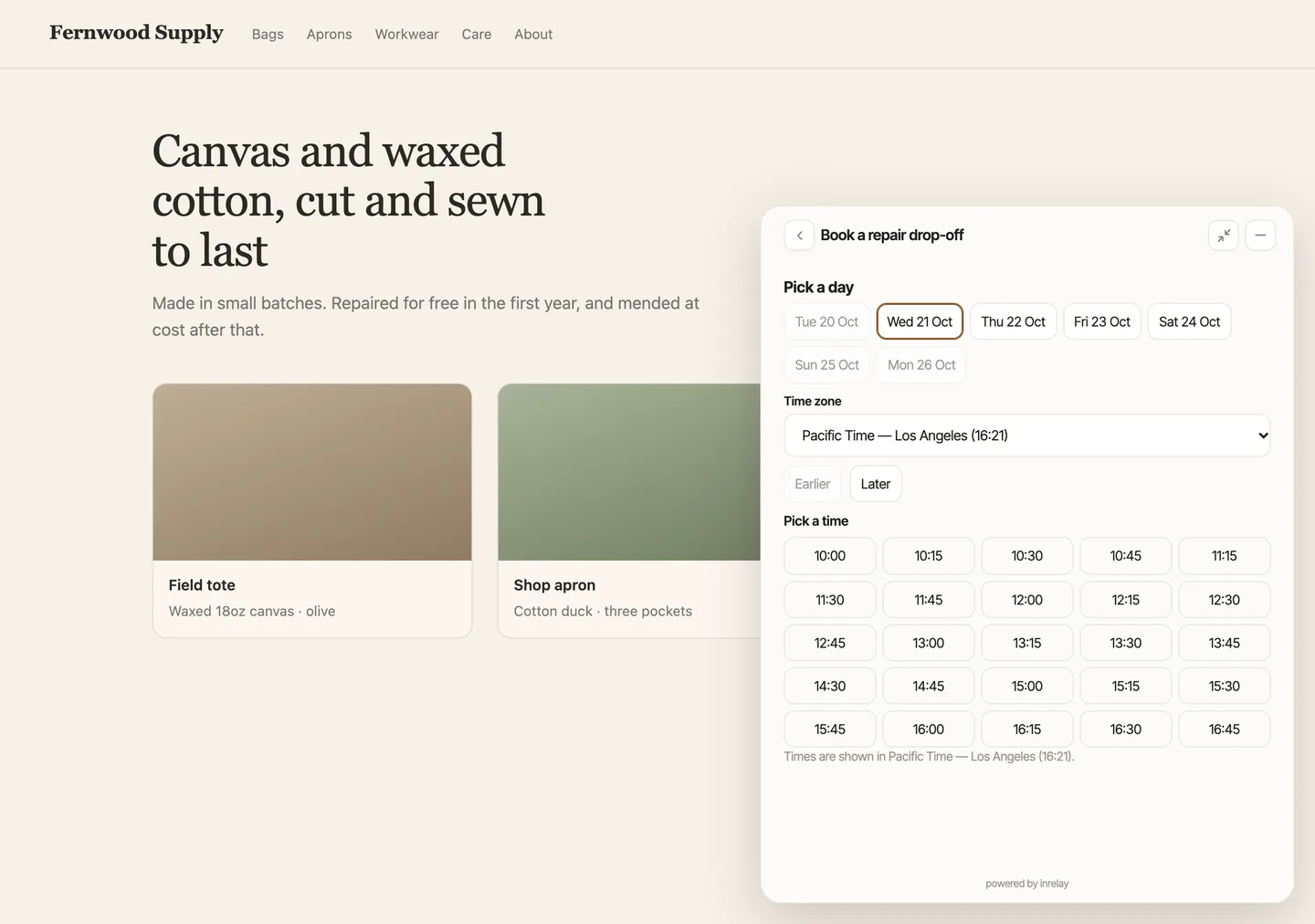
Free times come from each person’s weekly hours, the days they mark as different and the time they block off, minus what is already booked. Each booking type adds its own buffers, minimum notice, how far ahead people can book and a daily cap.
Keep the booking link you already use
If your bookings already run somewhere else, add that link to the widget as a Book a meeting button.
- Calendly and Cal.com open inside the widget, and the booking is recorded in the conversation.
- Google Calendar and Microsoft Bookings open inside the widget too. Their bookings stay in those tools and aren’t recorded in inrelay.
- Any other booking link opens in a new tab.
When a visitor asks the AI chatbot for a call or a meeting, it offers your Book a meeting button. Only the button, never a time of its own, so the customer always picks from times you have free.
One Bookings page for the whole team
In the desktop app, Bookings shows every booking as a list or on a calendar. Drag a booking to move it, and its notes move with it.
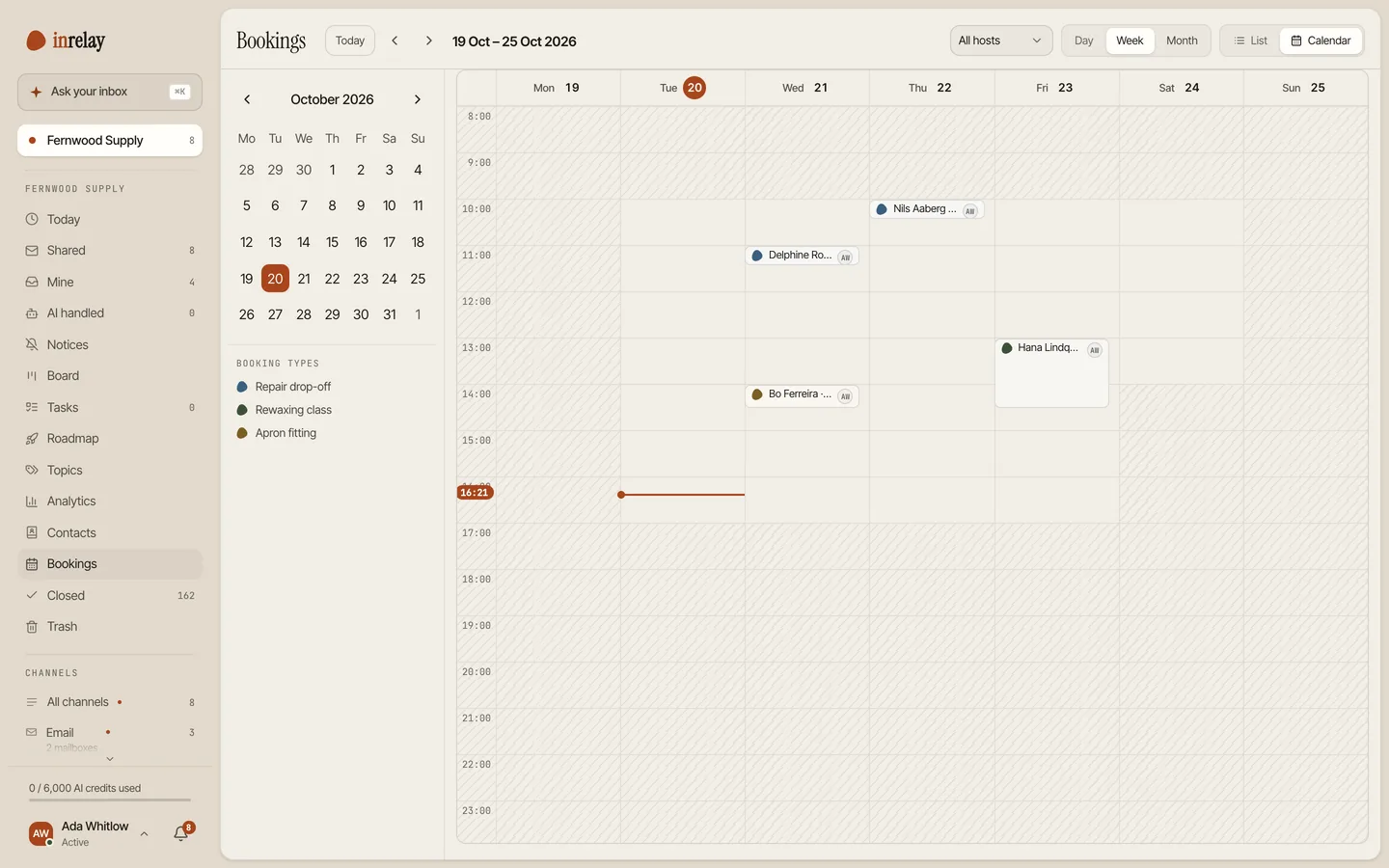
- Needs outcome collects the meetings that have passed. Mark each one Completed or No-show in one click.
- Each contact keeps a booking history, with Book again one click away.
- Notifications for new, moved and cancelled bookings, and an alert when a booking email may not have arrived.
Offer times in the reply itself
When a customer emails “could we talk this week?”, Propose timeslots in the composer puts up to five of your free times into the reply. They pick one and finish booking in a couple of steps.
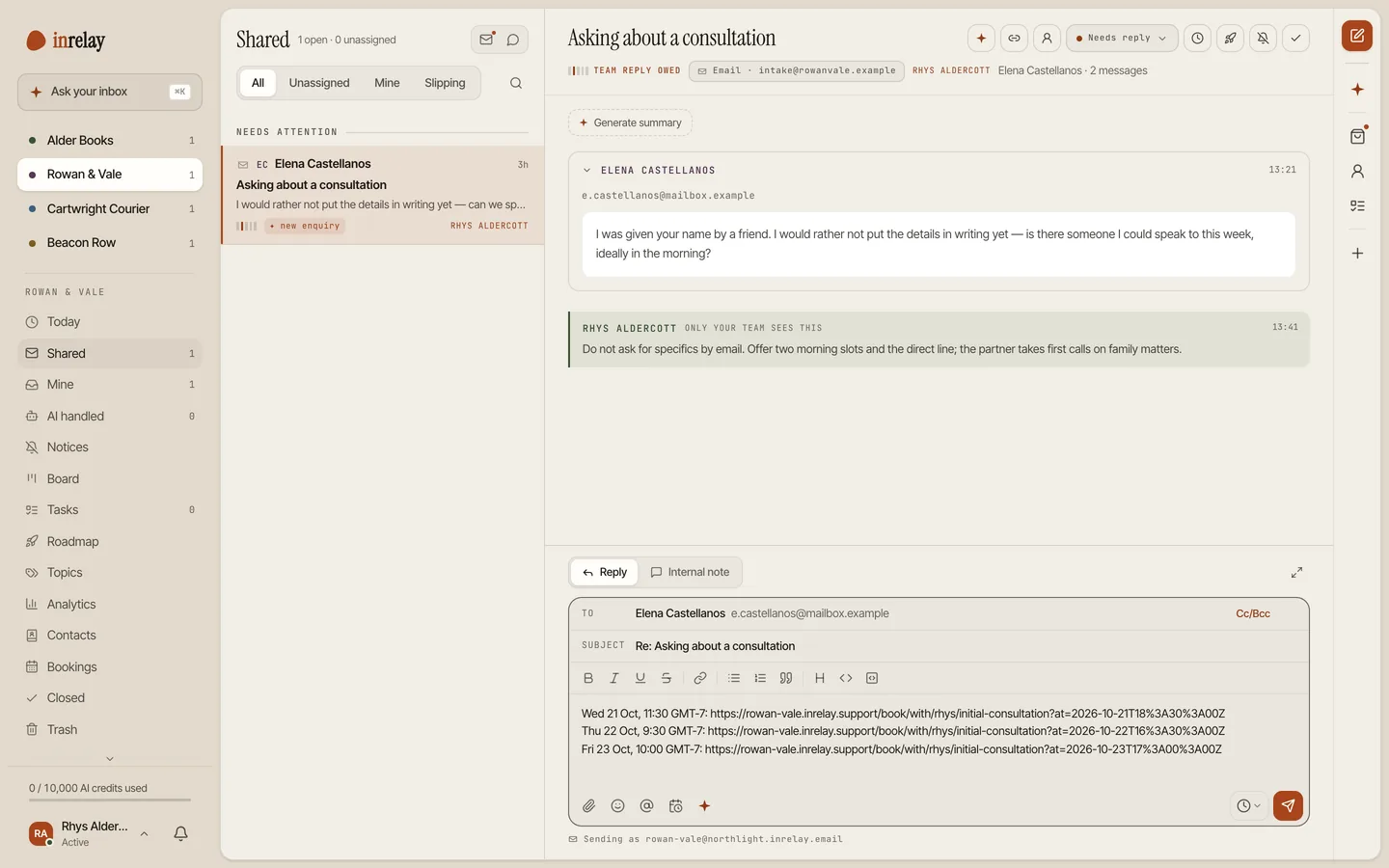
Booking emails sent as you
Confirmations with a calendar invite, reschedules, cancellations and reminders a day and an hour before all go out in your name. Every plan can add a note for the customer. On Team and Studio you can write the booking emails yourself.
That is the difference from a separate booking tool. A booking in inrelay belongs to a customer, so the person who answers their next message sees their bookings and how each one went, right beside the conversation. Bookings are also in the public API, webhooks and the AI-assistant (MCP) tools, if you build on top of inrelay.
Setting it up
Add a booking type
Name it, set how long it takes, choose who hosts it and add any questions for the customer. Start with the one thing customers book most.
Set your hours
Choose the days and times you take bookings, and block off the time you’re away. Only the rest shows as free.
Brand the booking page
Add your logo, colour and booking policy, and point your own domain at it if you like.
Share it
Choose the booking type your chat widget offers, and put the link anywhere you already point customers. The help docs cover the rest.
Bookings come with every plan. Free has one booking type, paid plans have as many as you need, and writing your own booking emails is on Team and Studio.
Works with the rest of the inbox.
Bookings is one piece of the inrelay feature family. These are its closest neighbours.
Offers the button
When a visitor asks for a call, the chatbot offers your Book a meeting button instead of guessing a time.
See the AI chatbot → LIVE CHATWhere bookings start
The widget on your site, with booking built in and every chat in the shared inbox.
See live chat → SHARED INBOXWhere the history lives
Email, chat and DMs in one place, with each customer’s bookings beside their conversations.
See the shared inbox →Bookings, beside the conversation.
Free to start with your own inbox - every feature, no card, never per seat.